Binance
Binance Verification Code Not Received? What to Check for Email and SMS Codes
Not getting Binance's email or SMS code? Email and SMS fail for different reasons: for email, check the address, spam and safe senders; for SMS, check whether your country is covered, then try a voice call. Changing your phone number pauses withdrawals and P2P for up to 48 hours.
The countdown next to "Resend code" runs out, you press it again, and still nothing arrives. Before you press it a third time, work out which code you are waiting for. Binance sends email codes and SMS codes through two separate channels, and they fail for different reasons, so the fix for one does nothing for the other.
Binance's help center has a short article on each case. This guide follows those articles and marks clearly where we add checks of our own. We read the English versions of the pages on 28 October 2026.
Three kinds of code, and only two can go missing
An email code is sent to the address you signed up with. An SMS code is sent to the phone number on your account. The third kind, the six digits in Google Authenticator or Binance Authenticator, is never sent at all: the app generates it on your phone and changes it every 30 seconds. If Binance rejects an authenticator code, look at whether your phone's clock is set to update automatically, because the codes depend on the time being right.
The rest of this page deals with the first two.
The email code never arrives
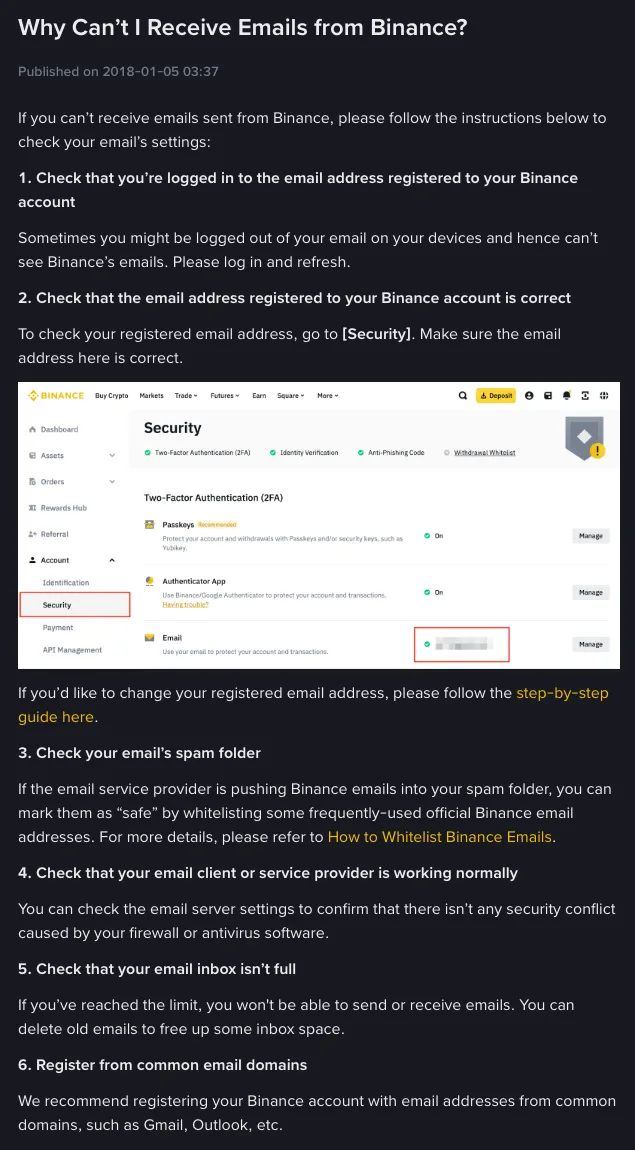
Binance's article "Why Can't I Receive Emails from Binance?" lists six things to check. Roughly from quickest to slowest:
- Read the address back. On the sign-up form, go through what you typed letter by letter. One slip, such as gmial.com, and the code goes to a mailbox that does not exist or belongs to someone else. If the account already exists, the registered address is shown under Security.
- Look in spam and junk. Gmail users should also check the Promotions and Updates tabs, which are not spam but are easy to skip.
- Make sure you are looking at the right inbox. A mail app on your phone can be quietly signed out. Log in again and refresh.
- Check the mailbox is not full. A full mailbox refuses new mail. Delete some old messages and request a new code.
- Consider your mail provider. Work and university accounts often sit behind filters that hold or drop automated mail before it reaches you. You usually can't change those settings yourself, so switching addresses is quicker.
- Use a mainstream address. Binance recommends signing up with a common provider such as Gmail or Outlook.
Found it in spam? Stop it happening again
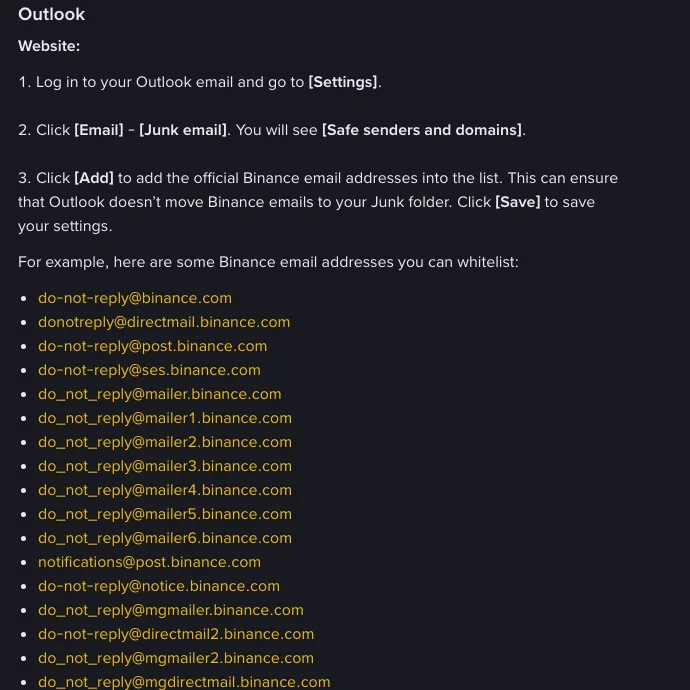
Add Binance's sending addresses to your safe senders list. Binance's article "How to Whitelist Binance Emails?" (last updated 4 December 2024) lists 17 addresses, all ending in binance.com, such as [email protected], [email protected] and [email protected]. The same page says the list is for reference only and that Binance may use other addresses, so there's no point memorising it.
The article covers three providers:
| Provider | Where to add Binance |
|---|---|
| Gmail | Settings → See all settings → Filters and Blocked Addresses → Create a new filter, put the address in "From", then tick "Never send it to Spam" |
| Outlook (web) | Settings → Email → Junk email → Safe senders and domains → Add, then Save |
| Apple Mail / iCloud | Mail → Settings → Rules → Add Rule, set From contains the address, and the action to move the message to Inbox |
A whitelist only decides which folder mail lands in. It does not prove a message is genuine. Any email asking you to click a link and enter a code deserves a look at the sender's full address, and if the domain is not binance.com, treat it as fake no matter which folder it is in. Binance Verify, the official checking tool described in our Binance sign-up and account security guide, checks whether an email address really belongs to Binance.
The SMS code never arrives
SMS has a question that email doesn't: does Binance send text messages to your country at all?
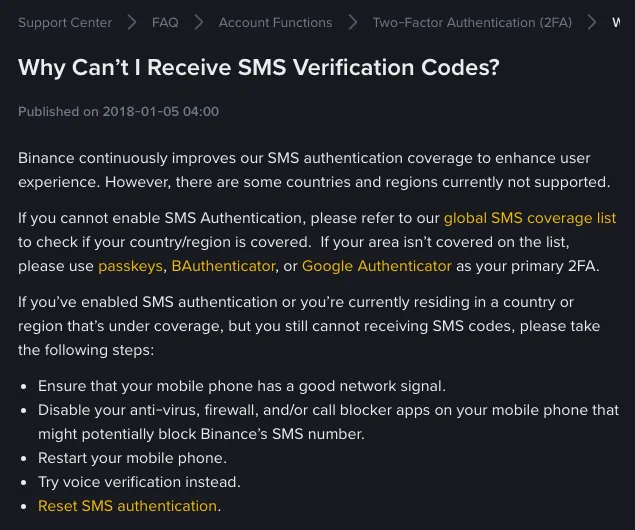
The SMS article opens with it. Coverage is growing, but some countries and regions are not supported, and the page links to a global SMS coverage list. If yours isn't on it, Binance's answer is to stop relying on SMS and use a passkey, Binance Authenticator or Google Authenticator as your main two-factor method instead. If you are still signing up and the phone route won't work, register with an email address. That only gets you past the SMS step: you still need to live somewhere Binance serves, and a different email address won't change that.
If your country is covered and the code still doesn't come, Binance suggests these steps in order:
- Move somewhere with a stronger signal.
- Turn off antivirus, firewall or call-blocking apps that might block Binance's number. A better first move is to open the app's blocked list and allow the number, so you don't have to leave protection off.
- Restart your phone.
- Ask for a voice call instead, which reads the code out to you.
- If none of that works, reset the phone number used for SMS authentication.
Here are three more checks that Binance's article doesn't mention. iPhones and many Android phones can sort texts from numbers that aren't in your contacts into a separate list, such as "Unknown Senders", "Spam" or "Promotions", with no notification. Look there before anything else. A phone that is suspended for an unpaid bill will usually stop receiving texts. And if you are abroad on your home number, check that roaming is on and that your plan allows incoming texts while roaming.
Before you change your phone number
If the number itself is the problem, perhaps an old line you no longer use, you can replace it in the app. Binance's article "How to Reset My Phone Number for SMS Verification on the Binance App?" (updated 11 March 2026) gives this route: Account icon → your profile at the top → Security → Phone Number, then tap the edit icon. You pass a two-factor check first, then confirm the new number with a code sent to it.
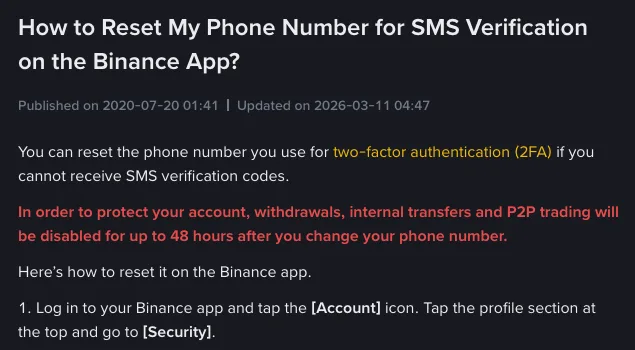
There is a cost. The red notice at the top of that page says withdrawals, internal transfers and P2P trading are disabled for up to 48 hours after the change. Lower down, the step-by-step part of the same page says withdrawals and P2P are disabled for 24 hours, and that you must wait 24 hours before the old number can be linked to another Binance account. The two figures don't match. The pop-up shown when you make the change is the one that applies to you.
So if you are waiting on a withdrawal or have a P2P order open, don't change the number yet. If you can't get past an SMS check with the old number, the verification screen has a "Switch to Another Verification Method" option. It only helps if you have already set up an authenticator app or a passkey, which is the best reason to add one on day one. An account that depends only on SMS has no fallback once the phone number stops working.
Offers of "help" to refuse
People stuck on a verification code tend to ask for help in Telegram groups, Reddit threads or comment sections, and that is where the wrong kind of help finds them. Say no to all of these:
- Someone offering to receive the code on their own phone or email so you can finish signing up. Your account would then be tied to their contact details, and every login and withdrawal goes through them.
- A "support agent" who asks you to send them the code you just received so they can "verify you". The code exists to prove the person acting is you. Handing it over hands them that action.
- A link to a "special registration page" or a "no-verification version" of the app.
More messages like these, with suggested replies, are in seven crypto scam message examples. If you never reach the code stage because the slider puzzle keeps failing, that is a separate check with its own fixes, covered in why the Binance captcha fails.
Still nothing after all of that
Contact support through the chat in the official Binance app or on binance.com. To save some back-and-forth, have these ready: whether it is the email or SMS code, the address or number involved, your phone model and operating system version, your country, and roughly when you requested the code.
Sources
- Binance help center: Why Can't I Receive Emails from Binance? (published 5 January 2018, no update date shown)
- Binance help center: Why Can't I Receive SMS Verification Codes? (published 5 January 2018)
- Binance help center: How to Whitelist Binance Emails? (last updated 4 December 2024)
- Binance help center: How to Reset My Phone Number for SMS Verification on the Binance App? (updated 11 March 2026)